Rodin vs Meshy
Meshy is faster, cheaper, and ships with rigging and stronger 3D-print tooling built in. Rodin generally produces denser, cleaner geometry and higher-fidelity textures, but takes longer and leaves rigging to a separate tool. This page cites both companies' own claims plus an independent benchmark - including where the sources disagree.
Meshy undercuts Rodin's entry price
| Tier | Meshy | Rodin |
|---|---|---|
| Free | 100 credits/mo | 10 starter credits |
| Entry paid | ~$20/mo (Pro, 1,000 credits) | $30/mo (Creator) |
| Mid tier | ~$60/mo (Studio) | $120/mo (Business) |
| Credit model | Bundled monthly credits | Pay-by-result - $1.50/credit, spent only on download |
Rodin's pay-by-result model - generation and iteration are free, only downloads cost a credit - is a structurally different approach from Meshy's bundled-credit model, not just a different number. See the full pricing and credits guide for how that works in practice.
Meshy is faster at comparable quality
Independent benchmarking puts Meshy at roughly 60 seconds per generation against roughly 300 seconds for a full-quality Rodin generation - a meaningful gap if you're iterating through many concepts quickly. Rodin's own effort tiers narrow this considerably at the low end (its fastest tier runs in single-digit seconds), so the real-world gap depends heavily on which tier you're comparing against.
Density and watertightness favor Rodin
| Metric | Meshy | Rodin |
|---|---|---|
| Typical density | Quad-dominant, ~60K polys | 100K+ polys, up to 10M RAW |
| Watertightness | Moderate - some holes reported | Watertight, SLA-print ready |
| Editing | Standard mesh export | Rodin Gen-2 Edit - prompt-based 3D inpainting |
This density/watertightness comparison comes from an independent benchmark rather than either company's own materials. See Smart Low-Poly for how Rodin brings dense RAW geometry down to a game-ready count, and Partial Edit for the region-based editing mentioned above.
The sources genuinely disagree here
This is worth being direct about: Meshy's own comparison page rates its AI texturing above Rodin's, citing full PBR maps up to 8K resolution that work on any uploaded mesh. An independent benchmark instead credits Rodin with higher-fidelity output - 4K photorealistic PBR versus Meshy's 2K/4K stylized textures. Both claims can be true depending on the asset type: Meshy's flexibility (retexturing any mesh, not just its own generations) is a real workflow advantage regardless of who wins on raw fidelity per asset.
Meshy's clearest advantage
This is a real gap, not a close call. If in-tool rigging matters for your pipeline, Meshy has a clear structural advantage here. Rodin can force a T-pose or A-pose on export to make downstream rigging easier, but the rigging itself happens outside Rodin entirely - see the Blender integration guide for that downstream workflow.
Two different pictures, worth naming both
| Claim | Source |
|---|---|
| Meshy: auto-repair, auto-split, 97% slicer pass rate (internal test) | Meshy's own comparison page |
| Rodin: more consistently watertight, SLA-ready output | Independent benchmark |
| Rodin: "plan for one pass" of cleanup before slicing (per Hyper3D's own FAQ) | Hyper3D documentation, cited by Meshy |
Realistically: budget for at least one cleanup pass before printing from either tool. See the dedicated 3D printing with Rodin guide for exactly what that pass typically involves.
Meshy exports one more format; API access differs sharply
Meshy exports: FBX, GLB, OBJ, STL, USDZ, 3MF, BLEND. Rodin exports: GLB, FBX, OBJ, STL, USDZ (3MF requires a separate converter step). See the full export formats guide for what each format actually carries.
API access is where the two diverge most: Meshy includes API access on its paid plans. Rodin gates API access behind the $120/month Business tier, with 120-240 requests per minute once unlocked - a meaningfully higher bar to clear for programmatic access.
Match the tool to the job
| Your priority | Better fit |
|---|---|
| Characters that need rigging and animation out of the box | Meshy |
| Print-ready output with built-in repair tooling | Meshy |
| API access without a high subscription tier | Meshy |
| Dense, clean quad geometry as a base for further work | Rodin |
| Prompt-based region editing (3D inpainting) | Rodin |
| Pay only for what you keep, not a bundled credit pool | Rodin |
For the broader field beyond just these two, see Rodin AI alternatives and Rodin vs Tripo AI.
Head-to-head demonstrations
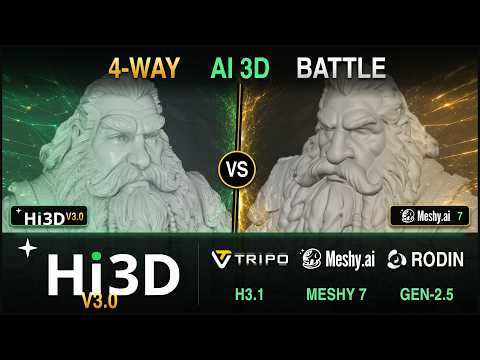
Every Rodin guide on rodin3ds.com
Reviews & comparisons
Try Rodin yourself
Rodin vs Meshy: frequently asked questions
Which is better, Rodin or Meshy?+
Neither wins outright - they optimize for different things. Meshy is faster, cheaper, and includes rigging plus stronger 3D-print tooling out of the box. Rodin generally produces denser, cleaner geometry and higher-fidelity PBR textures, but generates more slowly and doesn't rig models itself.
Does Rodin support rigging like Meshy does?+
No. Hyper3D's own documentation states that Rodin models do not come rigged - rigging, skinning and animation happen downstream in Blender or Maya. Meshy auto-rigs humanoid and quadruped characters and includes 600+ preset animations, which is a real advantage if character animation is part of your pipeline.
Which is faster, Rodin or Meshy?+
Meshy, by a wide margin on full-quality output - independent benchmarks put Meshy around 60 seconds versus roughly 300 seconds for a comparable Rodin generation, though Rodin's fast effort tiers narrow that gap considerably for lower-fidelity passes.
Which tool is better for 3D printing?+
Accounts differ here. Meshy's own comparison highlights stronger built-in printability tooling - auto-repair, auto-split, a claimed 97% slicer pass rate. An independent benchmark instead found Rodin's output more consistently watertight. Either way, budget for one cleanup pass before printing from either tool - see the dedicated 3D printing guide for specifics on Rodin's side.
Which has better texture quality, Rodin or Meshy?+
Sources disagree, which is worth noting honestly. Meshy's own page rates its AI texturing higher than Rodin's; an independent benchmark instead credits Rodin with higher-fidelity 4K photorealistic PBR versus Meshy's 2K/4K stylized output. Judge for yourself on your specific asset type - the gap is real but not universally in one direction.