Every Rodin AI Feature, in One Place
Rodin is one product in a five-part family, and most people only ever use the one they landed on. This page is the map of the whole thing: core Rodin generation, ChatAvatar, the OmniCraft toolkit, and the standalone Image and Video generators - what each does, and a link to the full guide for whichever one you actually need right now.
One account, five products
"Rodin" is often used as shorthand for the whole platform, but it's really the flagship of five distinct products under the same account: Rodin for full 3D models from text or images, ChatAvatar for characters specifically, OmniCraft as a toolkit of smaller asset-prep utilities, and standalone Image and Video generators that sit upstream and downstream of the 3D pipeline.
Each section below is a short summary with a link out to the dedicated guide - this page exists so you know all five exist, not to replace the deep-dive on any one of them.
Text and image to full 3D models
The flagship product, running on the Gen-2.5 model. Core capabilities:
- Text-to-3D - a prompt alone, no reference needed
- Image-to-3D - match an existing photo or concept image
- Multi-image reference - combine up to 5 angles in one generation
- Partial Edit plus BANG to Parts segmentation - fix a region without a full rebuild
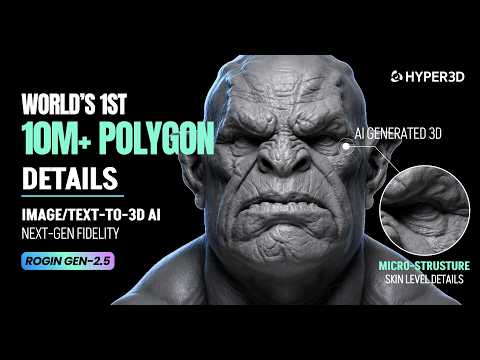
- Low-poly / Smart Low-Poly - bring 10M+ polygon RAW output down to a game-ready count
- 21 style presets, 5 effort tiers, and 3 ControlNet guidance types (Bounding Box, Voxel, Point Cloud)
Full detail on every one of these is on the Rodin AI features page.
Character-first generation
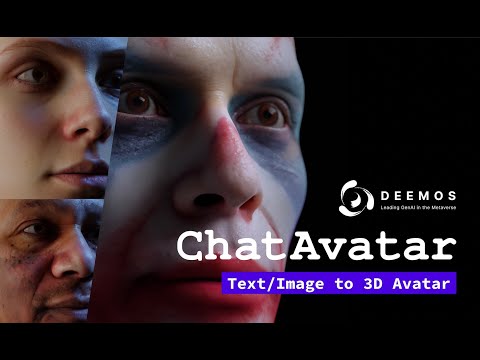
Where core Rodin handles any object, ChatAvatar is purpose-built for people and human-like characters: a full-body result with a detailed face, matching body mesh, PBR materials, and facial rigging - blendshapes, ARKit-compatible visemes, lip-sync - baked in. It generates from text, a reference photo, or both, across realistic, cartoon, stylized and custom style directions.
Asset prep, browser-based
OmniCraft is a separate suite from core Rodin generation - roughly 10 lighter-weight tools that support the models Rodin produces rather than generating full 3D assets themselves:
AI Texture Generator
Image to PBR textures for a 3D model
AI HDRI Generator
Prompt or reference image to an 8K 360掳 skybox, with HDR .exr and depth maps
3D Mesh Editor
Browser-based mesh editing and sculpting
Format Converter
Convert between 3D file formats without a round trip through a DCC tool
These tools work together for asset prep and visual reference - enhance or remix a source image, search for an existing 3D model instead of generating one from scratch, or convert a flat SVG logo into a 3D shape.
Upstream and downstream of 3D
AI Image Generator
Produces "3D-ready" concept art from a text prompt - clean silhouettes, neutral views, readable materials, the kind of composition that guides image-to-3D generation well rather than fighting it. Useful for concept exploration, product ideation, and building reference material before you ever touch the 3D pipeline.
AI Video Generator
Takes a static image - a product shot, concept art, or a render of a generated 3D asset - and turns it into a short motion clip via text-guided motion prompts. Aimed at social content, product previews and ads: the presentation layer for something built earlier in the pipeline, not a 3D generation tool itself.
Features that cut across every product
- API access - the same Gen-2.5 pipeline callable over HTTP, for batch jobs and pipeline integration
- 8 export formats - GLB, GLTF, FBX, OBJ, USDZ, STL, 3MF and DXF
- Blender integration - the RodinBridge add-on, plus manual import for any DCC tool
- 3D printing support - STL/3MF export with a printability checklist
- Plans and credits - one shared credit pool across every product, spent only at download
Which product, at a glance
| Product | What it generates | Best for |
|---|---|---|
| Rodin | Full 3D models with geometry + PBR textures | Props, environments, creatures, any object |
| ChatAvatar | Full-body character with rigged face | Human/human-like characters needing lip-sync |
| OmniCraft | Textures, HDRIs, mesh edits, format conversions | Preparing or polishing assets, not generating from scratch |
| Image Generator | 2D concept art, 3D-ready compositions | Reference material before generating in 3D |
| Video Generator | Short motion clips from a static image | Social posts, product previews, ads |
Platform walkthroughs
Most video coverage focuses on core Rodin generation rather than OmniCraft or the standalone generators specifically - these are the best available overviews of the platform as a whole.
Every Rodin guide on rodin3ds.com
Rodin core & ChatAvatar
Getting started & integrations
Every feature: frequently asked questions
What products make up the Hyper3D family?+
Five: Rodin (text and image to full 3D models), ChatAvatar (AI 3D avatars and facial assets), OmniCraft (a browser-based toolkit for textures, HDRI, mesh editing and format conversion), an AI Image Generator, and an AI Video Generator.
What is OmniCraft and what tools does it include?+
OmniCraft is a suite of roughly 10 browser-based asset-preparation tools, including an AI Texture Generator, AI Image Enhancer, AI Image Remix, AI HDRI Generator (8K skyboxes), a 3D Model Search Engine, an SVG-to-3D converter, a 3D Mesh Editor, a Model Viewer and a Format Converter.
How do the AI Image Generator and AI Video Generator fit into the pipeline?+
The Image Generator produces 3D-ready concept art - clean silhouettes, neutral views, readable materials - designed to feed straight into image-to-3D. The Video Generator then takes a static image, including a rendered 3D asset, and turns it into a short motion clip for social posts, product previews or ads.
Do I need separate plans for each product?+
No - they sit under the same account and plan structure, though some features (like ChatAvatar's commercial licence or API access) are gated to specific plans. Check the pricing page for exactly which plan unlocks which product.
Where do I go to learn one feature in depth?+
This page is the index - every feature links out to its own dedicated guide with full detail, from the prompt-writing guide and the Gen-2.5 feature breakdown to the Blender integration and API documentation.