Rodin OmniCraft
Generation is only part of a 3D pipeline. OmniCraft is Hyper3D's toolkit for everything around it - texturing, environments, sculpting, image work and format conversion - all browser-based, and none of it requires starting from a Rodin generation. Here's what's actually in the box.
The asset-prep layer of the Hyper3D suite
Hyper3D's product family has three parts: Rodin generates models, ChatAvatar generates characters, and OmniCraft handles everything in between and after - texturing, environments, sculpting, image work, and file conversion. It's described on the product itself as a toolkit of supporting tools for asset preparation, roughly ten in total.
Every OmniCraft tool works independently of Rodin generation - each one accepts standard model or image formats, so you can bring in an asset from any source and texture, sculpt, or convert it without ever running a Rodin generation first. That makes OmniCraft useful even for pipelines that don't otherwise touch Hyper3D's generation products.
What's inside OmniCraft
| Tool | What it does |
|---|---|
| AI Texture Generator | Generates PBR texture maps for a 3D model from reference images, up to 12K |
| AI HDRI Generator | Turns a text prompt or image into a seamless 360° skybox, up to 8K |
| 3D Mesh Editor | Browser-based sculpting and PBR painting on an imported or base mesh |
| AI Image Enhancer | Improves resolution and detail on a reference image before generation |
| AI Image Remix | Blends reference images with a prompt into a new concept image |
| 3D Model Search Engine | Finds existing 3D models by text, image, or 3D input |
| SVG to 3D Converter | Extrudes vector graphics into 3D geometry |
| Model Viewer | Inspects a 3D model in-browser without a DCC tool |
| Format Converter | Moves an asset between 3D file formats |
Need a specific export format explained rather than converted? See the dedicated export formats guide.
Reference images to full PBR maps
Upload a 3D model (OBJ, FBX, GLB or USDZ, 5KB-150MB) and up to three reference images, and the tool generates a full PBR set - base color, normal, metallic, roughness, ambient occlusion, opacity, emissive and height maps - at resolutions up to 12K. It's a three-step flow: upload and orient the model, add reference imagery to guide the direction, then generate and export.
| Effort tier | Approx. time |
|---|---|
| Extreme-Low | ~4 seconds |
| Low | ~9 seconds |
| Medium | ~20 seconds |
| High | ~40 seconds |
Creativity and PBR Temperature sliders (0-1 and 0-10 respectively) give control over how closely the result follows the reference versus how much material variation it introduces, and results are previewable in PBR, Shaded or Toon view before export.
Text or image to a full lighting environment
Describe an environment in text, or upload a reference image (up to 10MB), and the tool produces a seamless 360° panoramic skybox in around 30 seconds, viewable from any angle in an interactive preview before you commit to a download. Regeneration on an existing prompt is one click.
Preview generation and iteration are free; unlocking the full-resolution download costs 1 credit for regular members, or is included free for subscribers.
Sculpting and painting, entirely in the browser
Import an existing model (OBJ, FBX, GLB, STL, PLY or DAE, up to 200MB) or start from a base primitive, then sculpt with 11 tools - including Brush, Inflate and Smooth, with symmetry on by default - and paint albedo, roughness and metalness directly onto the surface. Optional remeshing and topology controls are available before export to OBJ, PLY, STL or SGL, with baked texture maps up to 4096px.
Hyper3D's own description is direct about privacy here: the tool is free to all, requires no login, and nothing is uploaded - files stay in the browser's local storage rather than leaving your machine.
Where each tool fits in a pipeline
Game asset production
Texture Generator and Mesh Editor cover retexturing and cleanup
Scene & environment work
HDRI Generator for lighting, backdrops and mood blocking
Product & e-commerce
Texture and HDRI tools for studio-quality product renders
Pipeline cleanup
Format Converter and Model Viewer for moving assets between tools
For a full production example that combines generation with asset prep, see the game development workflow guide.
Hyper3D pipeline walkthroughs
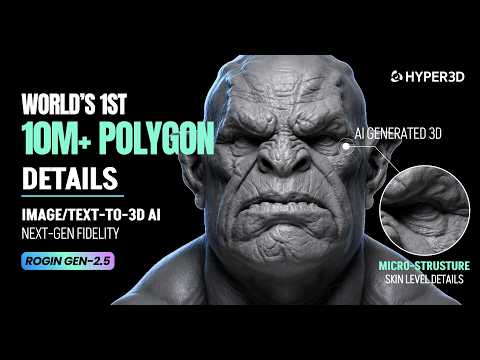
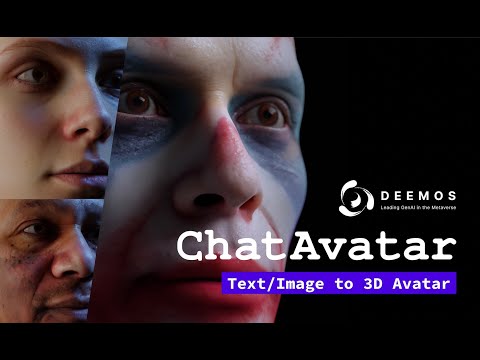
No dedicated OmniCraft walkthrough was available at time of writing - these cover the broader Hyper3D pipeline OmniCraft's tools plug into.
Every Rodin guide on rodin3ds.com
The Hyper3D suite
Generation & output
OmniCraft: frequently asked questions
What is OmniCraft?+
OmniCraft is Hyper3D's toolkit of supporting tools for asset preparation - texture generation, HDRI environments, image enhancement and remix, mesh editing, model search, and format conversion. It's the third product in the Hyper3D suite alongside Rodin (generation) and ChatAvatar (characters), covering the refinement work that happens after a model is generated.
Do I need a Rodin-generated model to use OmniCraft's tools?+
No. Each OmniCraft tool accepts standard 3D and image file formats, so you can bring in a model or image from any source - Rodin generation isn't a prerequisite for texturing, sculpting, or converting an asset.
What resolution textures and HDRIs does OmniCraft generate?+
The AI Texture Generator supports PBR maps up to 12K resolution, including base color, normal, metallic, roughness, ambient occlusion, opacity, emissive and height maps. The AI HDRI Generator exports 8K equirectangular panoramas plus an EXR lighting file and a depth map.
Is the 3D Mesh Editor free to use?+
Yes - it's free to all with no login required, and files stay in your browser rather than being uploaded, according to Hyper3D's own description of the tool.
What file formats does OmniCraft work with?+
Across the toolkit: OBJ, FBX, GLB, USDZ, STL, PLY and DAE for 3D models, and JPG, PNG and WEBP for reference images, depending on the specific tool. The Format Converter tool exists specifically to move an asset between these formats.