Rodin ChatAvatar
ChatAvatar is Hyper3D's character-focused sibling to core Rodin: describe a person or upload a portrait, and it returns a nearly production-ready full-body avatar - face, matching body mesh, PBR materials, and facial rigging baked in - rather than a generic object. Here's what it generates, how the input methods work, and when to reach for it instead of text-to-3D or image-to-3D.
The character-first product in the Hyper3D suite
Where core Rodin text-to-3D and image-to-3D are built for any object - props, environments, creatures, across 21 style presets - ChatAvatar narrows the focus to people and human-like characters, and goes further on that one subject: a full-body result with a detailed face, a matching body mesh, PBR materials, and facial rigging already wired up, aimed at games, virtual worlds, digital identities and social platforms.
The tradeoff is scope, not quality - ChatAvatar isn't the tool for a treasure chest or a spaceship, and core Rodin isn't the tool for a character that needs lip-sync out of the box. The comparison section below covers exactly where the line sits.
Describe or upload, then refine downstream
- Describe the character or upload a reference. A text description with identity and style cues, a portrait or concept art image, or both together.
- Generate. ChatAvatar produces the face, body mesh and PBR materials as one full-body package rather than separate passes.
- Review the style read. Realistic, cartoon, stylized or custom - regenerate if the direction isn't quite right.
- Export and refine. Take the asset into your DCC tool of choice for full-body rigging, custom animation, and final cleanup beyond what ships baked in.
What makes a reference photo work well
For photo-driven generation, Hyper3D's own guidance is specific: a clear portrait with bright, even lighting and no shadows works best. Harsh side-lighting or a partially obscured face is the most common cause of a read that doesn't match the source.
"middle-aged blacksmith, weathered face, short grey beard, realistic style, worn leather apron"
A text-only prompt with identity cues (age, build, distinguishing features) and a style word - enough for a first pass without a reference photo.
[clear front-facing portrait, even lighting] + "stylized cartoon version, keep the hairstyle and glasses"
Combining an image with text works well when you want to keep specific features from a photo but push the overall style away from realism.
Four ways a character can read
Style comes from how you describe the character or what reference you provide, rather than a separate preset picker like core Rodin's 21 styles:
Facial rigging ships with the asset
This is the biggest functional difference from core Rodin: a ChatAvatar package includes facial controls, blendshapes, ARKit-compatible expressions, visemes and lip-sync support, aimed at real-time avatar workflows where a face needs to talk and emote without a rigger building that from scratch.
Full-body rigging, custom animation and any final cleanup beyond the facial system are still typically finished in a downstream DCC tool - see the Rodin to Blender guide for the general import and rigging considerations that apply to any generated character mesh.
Which one should you use?
| Situation | Better fit |
|---|---|
| You need a human or human-like character, face included | ChatAvatar |
| You need lip-sync/ARKit blendshapes out of the box | ChatAvatar |
| You need a prop, environment piece, vehicle or creature | Core Rodin |
| You want one of 21 named style presets across any subject | Core Rodin |
| You need a character AND a full prop set for the same project | ChatAvatar for the cast, Rodin text-to-3D for everything around them |
What people build with ChatAvatar
Game NPCs & avatars
Cast characters and player avatars for games and virtual worlds
Digital hosts & presenters
Faces that talk, with visemes and lip-sync ready to drive
VR/AR & virtual identity
Embodied avatars for immersive and social spaces
Digital identity & social
A personal 3D likeness for profiles and social platforms
ChatAvatar demos & walkthroughs
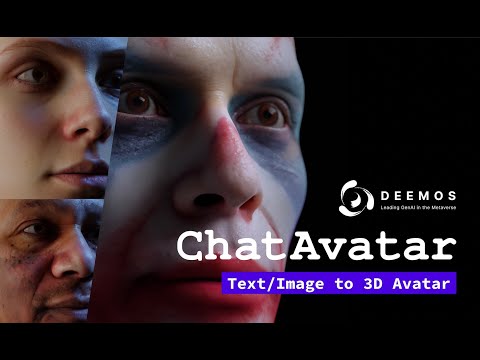
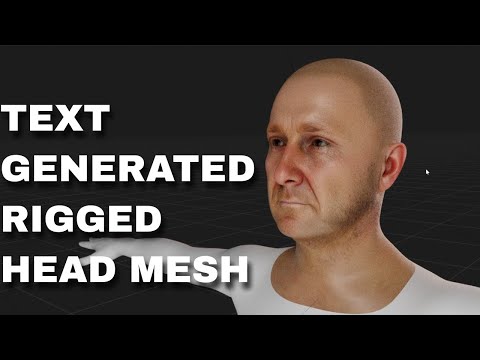
Every Rodin guide on rodin3ds.com
Core Rodin generation
Getting started
ChatAvatar: frequently asked questions
What is ChatAvatar?+
ChatAvatar is Hyper3D's character generation product - it produces nearly production-ready full-body 3D avatar assets, including a detailed face, a matching body mesh and PBR materials, from a text description, a reference image, or both.
How is ChatAvatar different from core Rodin text-to-3D or image-to-3D?+
Core Rodin is built for any object - props, environments, creatures - across 21 style presets. ChatAvatar is purpose-built for human and human-like characters specifically, and ships with facial controls, blendshapes and ARKit-compatible visemes that core Rodin doesn't generate.
What styles does ChatAvatar support?+
Realistic, cartoon, stylized and custom directions, driven by how you describe the character or what reference image you provide - there isn't a separate preset picker the way core Rodin's 21 styles work.
Does ChatAvatar include facial rigging?+
Yes. Generated packages include facial controls, blendshapes, ARKit-compatible expressions, visemes and lip-sync support for real-time avatar workflows. Full-body rigging, custom animation and final cleanup are typically still finished in a downstream DCC tool.
Do I need a specific plan to use ChatAvatar commercially?+
The Business plan explicitly includes a ChatAvatar commercial licence as one of the features that distinguishes it from Creator, so check the pricing page before shipping a ChatAvatar asset in a commercial product.