Rodin for Game Development
One reference image, a chosen polycount, and rigging-ready output with PBR maps already attached - that's the shape of a Rodin asset headed into a game engine. Here's the concept-to-in-engine pipeline: polycount and LOD control, engine plugins, texture workflow, and how to batch-produce a consistent asset family.
Three steps, concept to in-engine asset
- Input. One image is enough for Rodin to generate most objects. Optional additional views via Multi-Image add more visual detail when the asset needs extra control - or skip the image entirely and start from a text prompt.
- Generation. Rodin produces nearly production-ready 3D assets with clean topology and PBR materials in the same pass, not as separate steps.
- Export. Assets come out rigging-ready, with clean topology and PBR maps intact, across all the standard formats a game pipeline needs.
"Nearly production-ready" is an honest framing worth taking at face value - most assets still benefit from a review pass, but the gap between raw generation and a usable game asset is meaningfully smaller than with most other generative pipelines.
From 10M-polygon RAW down to a game-ready mesh
| Control | What it does |
|---|---|
| Target polygon count | Chosen at generation time, up to 10 million polygons for RAW output |
| LOD generation | Optional, for engines that need multiple detail levels of the same asset |
| Remeshing & decimation | Manual tools for further polycount control after generation |
| Smart Low-Poly | Autoregressive reconstruction to roughly 4K-50K mostly-quad faces |
For the deeper mechanics of how Smart Low-Poly actually reconstructs a mesh rather than just decimating it, see the dedicated Smart Low-Poly guide.
Plugins for the engines you're already using
Unity
Direct plugin for in-engine import
Unreal Engine
Direct plugin, same workflow as Unity
Godot
Direct plugin for the open-source engine
DCC Bridge
Blender, Maya and Cinema 4D for pre-engine cleanup
No dedicated plugin for your engine? Assets export in FBX, GLB, and OBJ - all widely supported import formats. See the Blender integration guide and export formats guide for format-specific detail.
Full PBR sets, or textures alone on an existing mesh
Generated assets ship with a complete PBR texture set - Base Color, Normal, Metallic, Roughness, Ambient Occlusion, Opacity, Emissive, and Height - so there's no separate texturing pass needed for a Rodin-generated asset. If you already have a mesh from another source, OmniCraft's AI Texture Generator can produce the same PBR set from a prompt or reference image without remodeling anything.
Consistent variant sets, not one-off surprises
Fixed seeds give reproducible results across a generation batch - useful for building modular environment kits or a family of prop variants that all need to share a visual language, rather than each regeneration coming back looking unrelated to the last. This matters more in game production than in most other 3D use cases, where a whole level's worth of assets often needs to read as a coherent set.
Check your plan before shipping
Commercial use of generated assets requires a plan that explicitly includes a commercial license - it's not automatic on every tier. Verify both your subscription tier and the policies of your target storefront (a console platform, Steam, a mobile app store) before shipping assets built with Rodin. See the pricing and credits guide for which tiers include commercial licensing.
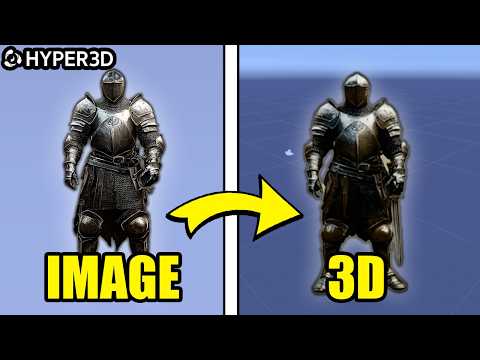
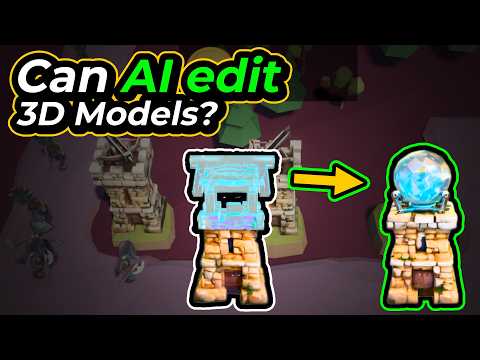
Game development walkthroughs
Every Rodin guide on rodin3ds.com
Pipeline & output
Generation
Rodin for game development: frequently asked questions
Can Rodin generate game-ready assets directly?+
Rodin produces nearly production-ready 3D assets from text or images, with clean topology and PBR materials - rigging-ready output across all standard formats. Some manual cleanup is still typical before an asset ships, but the starting point is far closer to final than raw generative output usually is.
How much control do I have over polygon count for game assets?+
You choose the target polygon count during generation, with options up to 10 million polygons for RAW output, plus optional LOD generation and remeshing/decimation tools for further control - or Smart Low-Poly for an autoregressive reconstruction down to a game-appropriate face count.
Which game engines does Rodin support?+
Direct plugins are available for Unity, Unreal, and Godot, alongside a DCC Bridge that also covers Blender, Maya, and Cinema 4D. Assets export in FBX, GLB, and OBJ for engines without a dedicated plugin.
How does Rodin help with batch asset production?+
Fixed seeds give reproducible results, which is useful for generating consistent variant sets - modular environment kits, prop families, or multiple versions of the same base asset - rather than getting a different result every time you regenerate.
Do I need a reference image for every asset?+
No - one image is enough for Rodin to generate most objects. Optional additional views (Multi-Image) add more visual detail when you want extra control, but a single reference or a text prompt alone is usually sufficient for a first pass.